Google Cloud Search
Update Data Source Schema
Google Cloud Search allows us to feed documents into schema-less data source.
In order to define facets and the display options in the search result, the data source requires a schema.
The out-of-the-box recommended schema definition for the connector is defined as datasource-schema.json inside the folder /schema inside the connector installation.
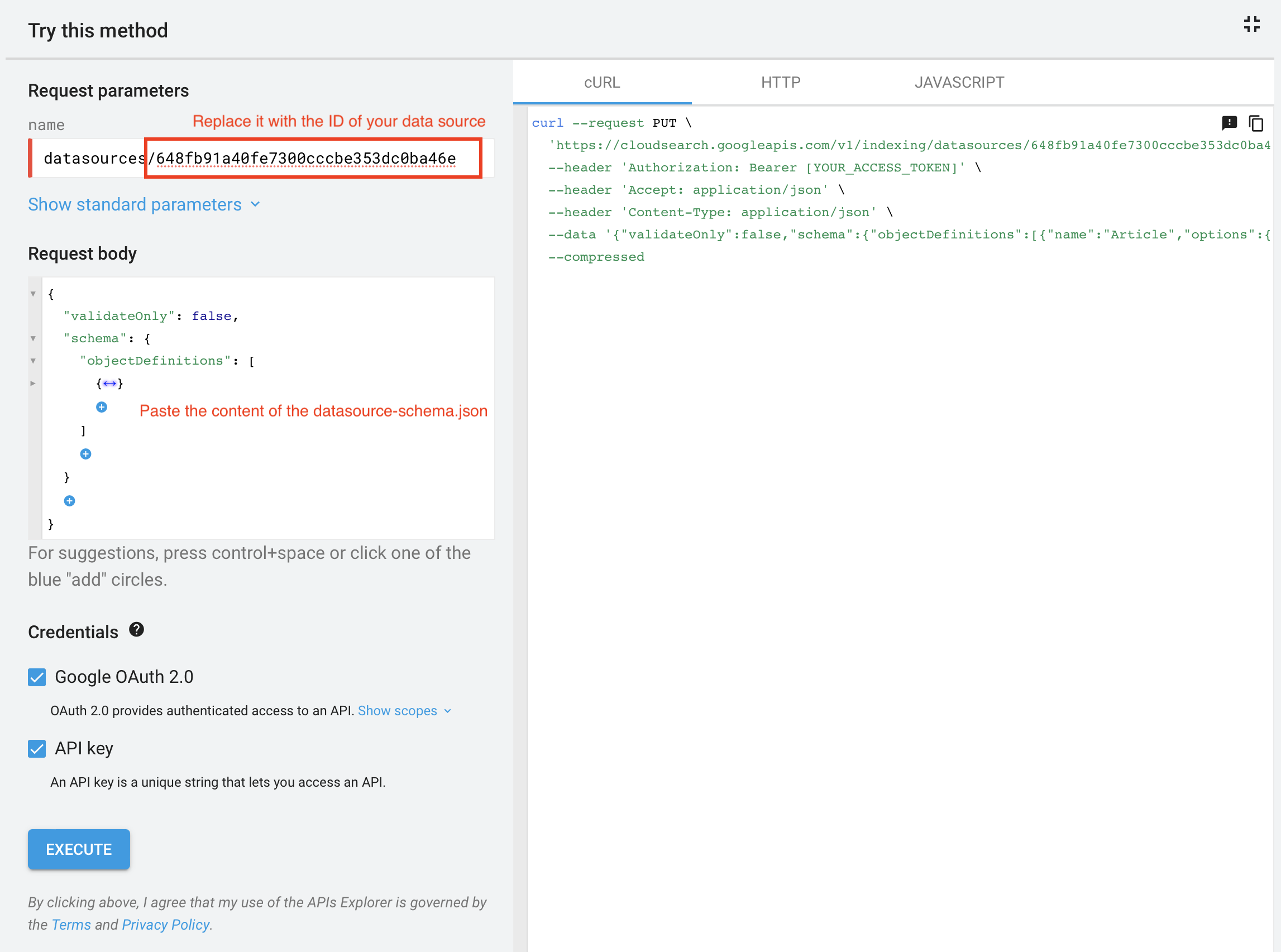
Use the recommended schema file to update the schema of your data source using the Cloud Search API Explorer.
-
Login with your Cloud Search Account
-
Specify the ID of your datasource using the format
datasources/<your-datasource-id>as the name option in the request parameters. -
Paste the content of
datasource-schema.jsonas request body. -
Complete the request with the option EXECUTE.
Available Metadata
The Connector provides following metadata which can be considered to be defined in the data source schema.
| Metadata Name | Property Type | Repeatable ? | Default ? |
|---|---|---|---|
itemType |
|
✖ |
✔ |
sectionName |
|
✖ |
✔ |
categoryName |
|
✖ |
✔ |
sourceName |
|
✖ |
✔ |
articleName |
|
✖ |
✔ |
labels |
|
✔ |
✔ |
fileExtension |
|
✖ |
✔ |
Search Result Configuration
Enable Facets
All properties which are defined as face table in the schema can be used as facets in the search console. In order to apply the facets for your search application, please consider the following instructions:
-
In your Google Admin Console, navigate to
Apps → Google Workspace → Settings for Cloud Search → Search Applications. -
Select your Search Application.
-
Click on Edit Data Sources.
-
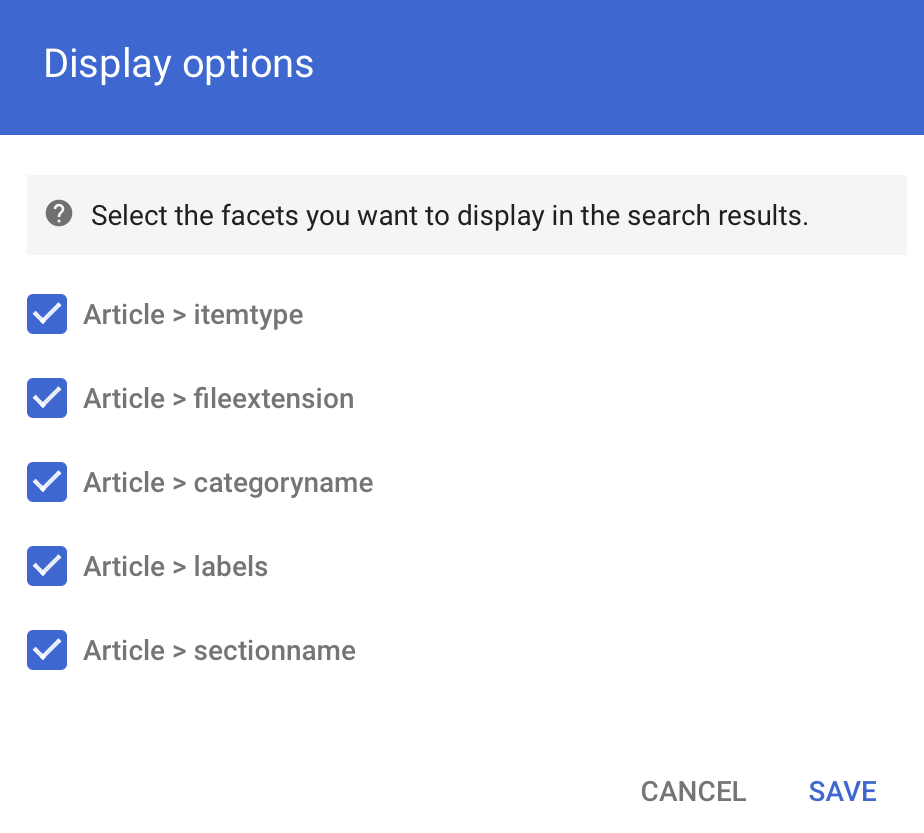
Select your Data Source and press Display options.
-
Enable the facets defined in your schema.
-
Press Save to save your changes.